

Not long ago, producing a compelling visual for a blog post, ad campaign, or social media meant hiring a designer, licensing stock photography, or spending hours in an editing suite. That reality has changed dramatically. AI image generators have collapsed that process to seconds, and among the tools making headlines in 2026, Grok’s image generator stands out for its speed, realism, and the sheer scale of content it now produces.
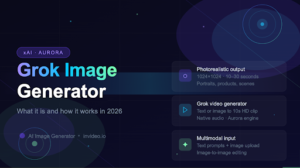
Developed by xAI, Elon Musk’s artificial intelligence company, the Grok image generator has evolved from a simple text-to-image feature into a full creative platform capable of producing both photorealistic images and cinematic video clips from nothing more than a typed description. This article breaks down what it is, how the underlying technology works, what sets it apart from competing tools, and how creators can actually use it today.
What Is the Grok Image Generator?
Grok is xAI’s AI assistant, built to compete directly with tools like ChatGPT and Google Gemini. Its image generation capability is powered by a proprietary model called Aurora, which xAI released in December 2024. Aurora is not a general-purpose model with image generation bolted on, it was built specifically to understand and produce visual content alongside text, making it genuinely multimodal from the ground up.
Over the course of 2025, the tool evolved into what xAI now calls Grok Imagine, a standalone platform for both image and video generation. What began as a feature available only to X Premium subscribers has since expanded considerably. As of February 2026, Grok Imagine 1.0 launched with improved audio quality for video outputs, and by March 2026, the platform introduced clip-chaining capabilities, allowing users to build longer visual sequences by linking generated clips together.
The scale of adoption makes the story worth telling. The platform generated 1.245 billion videos in January 2026 alone, numbers that put Grok Imagine squarely in the conversation as a mainstream creative tool, not just an AI curiosity.
How Does the Grok AI Image Generator Work?
Most popular AI image generators, including Stable Diffusion and Adobe Firefly, are built on diffusion architectures. They work by starting with visual noise and gradually refining it into a coherent image through an iterative denoising process. Aurora takes a fundamentally different approach.
Aurora is an autoregressive mixture-of-experts (MoE) transformer, the same class of architecture used in large language models like GPT-4. Rather than denoising from chaos, it builds images patch by patch, predicting each next element in a sequence based on everything that has already been generated. This is conceptually similar to how a language model writes text, predicting one token at a time. xAI trained Aurora on billions of examples from across the internet, giving the model a broad understanding of how objects, lighting, composition, and visual context relate to one another.
In practical terms, this architecture produces a few measurable differences. Aurora tends to generate images with sharper visual coherence and more accurate scene understanding than many diffusion-based alternatives, particularly when the prompt involves complex spatial relationships or multiple distinct elements. It also handles text rendering, logos, signs, product labels, more reliably than most competing models, which have historically struggled with legible text in generated images.
The model produces images at up to 1024×1024 pixel resolution and can generate multiple variations of the same prompt in a single request. Generation time typically falls between 10 and 30 seconds, fast enough to make rapid iteration feel practical rather than painful.
One other point worth noting: Aurora supports multimodal input natively. Beyond text prompts, users can upload an existing image and describe what they want changed, a background swap, a style transformation, adding an element to the scene, and Aurora treats that as a generation task, not a separate editing mode. This flexibility is part of what makes the Grok AI image generator useful across a wider range of creative workflows.
Key Features of the Grok Image Generator
Photorealistic Rendering
Aurora’s standout capability is photorealism. Benchmark testing from early 2026 places it among the stronger performers in this category, particularly when rendering scenes with multiple people. Portraits, product shots, and outdoor environments all come through with accurate texture, natural lighting, and convincing depth. The January 2026 model update specifically improved skin textures and lighting consistency, two areas that had drawn criticism in earlier versions.
Text and Logo Rendering
This is arguably Aurora’s most distinctive practical advantage. Generating legible, correctly spelled text within an image has been a persistent weakness across AI image generators. Aurora handles it significantly better, rendering readable copy on signs, packaging, banners, and branded assets without the garbled results that have plagued other models. For marketers and content creators working on branded visuals, this is a meaningful differentiator.
Style Range
The model does not lock users into a single visual style. Prompts can steer outputs toward photorealism, digital illustration, anime, fantasy art, abstract compositions, surrealism, or editorial photography styles, often with convincing results across all of them. Aurora tends to gravitate toward high-contrast, dramatically lit compositions when given latitude, which works well for concept art and promotional visuals. Creators working in a quieter, naturalistic aesthetic may need to be more explicit in their prompts.
Image-to-Image Editing
Grok Imagine’s image-to-image capability allows creators to upload a photo or illustration and describe modifications conversationally. Change the background, add a product, shift the color palette to match a brand, the model interprets these as generative instructions rather than pixel-level edits. This makes it genuinely useful for rapid visual iteration without switching between multiple tools.
Grok Video Generator: Beyond Static Images
The evolution from image generator to video generator is where Grok Imagine becomes a genuinely different kind of tool. The grok video generator function, released in July 2025 and substantially upgraded in early 2026, allows users to produce short video clips from text prompts or by animating a static image.
The current version generates 10-second HD clips at 720p resolution with synchronized audio. That audio is not just a background music track, the Aurora engine auto-generates music, ambient sound, and sound effects that correspond to the visual content, without any separate editing step. A clip of rain on a city street will come with the sound of rain on a city street.
The platform’s physics simulation is handled by the same Aurora engine, producing movement and environmental effects that aim for cinema-grade realism. Object interactions, fluid dynamics, and camera movements are generated as part of the clip rather than composited after the fact. In March 2026, xAI introduced an “Extend from Frame” feature, which takes the final frame of one generated clip and uses it as the starting point for the next, allowing creators to chain sequences together for longer narratives or product demonstrations.
For creators producing content for short-form platforms, Reels, TikTok, YouTube Shorts, the grok video generator offers a realistic path from concept to publishable clip without a production team. The infrastructure behind it is substantial: xAI’s Aurora engine runs on 110,000 NVIDIA GB200 GPUs, which helps explain the generation speeds the platform is achieving at scale.
Grok Image Generator vs. Other AI Image Tools
Placing Grok in context requires an honest look at where it leads and where it does not.
Against DALL-E (used in ChatGPT), Aurora’s autoregressive architecture gives it a meaningful edge in photorealism, particularly in multi-person scenes where diffusion models tend to produce inconsistencies in anatomy and proportions. DALL-E remains competitive on compositional accuracy for simpler prompts.
Against Midjourney, the comparison shifts. Midjourney has built its reputation on distinctive artistic aesthetics and a user community that has spent years refining prompting techniques. Aurora outpaces it on photorealism and text rendering, but Midjourney’s stylistic output, that particular look that makes Midjourney images recognizable, remains something Aurora does not consistently replicate. The right choice depends on the use case: photorealistic commercial content favors Aurora; artistically stylized output often still favors Midjourney.
Against Stable Diffusion, the comparison is less about quality and more about philosophy. Stable Diffusion is open-source, runs locally, and can be fine-tuned extensively. Aurora offers better out-of-the-box results but is a closed model with less flexibility. For creators who want to iterate quickly without technical configuration, Aurora wins on accessibility; for developers who need fine-grained control, Stable Diffusion remains the more customizable foundation.
How to Use Grok Imagine on Invideo
Access to Grok Imagine through the native X platform requires an X Premium subscription, which limits how broadly creators can integrate it into their workflows. Invideo offers an alternative access point that brings Grok Imagine’s image and video generation capabilities into a broader creative environment, with commercial usage rights included.
The process is straightforward. After logging into invideo, users navigate to the Agents & Models section and select either Grok Imagine for image generation or Grok Imagine Video for video outputs. From there, a text prompt or uploaded reference image drives the generation. Once the output is ready, it can be downloaded with full commercial rights, an important distinction for anyone using generated visuals in client work, advertising, or published content.
Creators who want to explore what the grok image generator produces, or who want to try the grok video generator alongside other leading AI models like Sora, Veo, and Kling, can do so directly at invideo grok imagine page. Having multiple models available in one place makes it easier to compare outputs for a given prompt and choose the one that best fits the project.
Who Should Use the Grok Image Generator?
The honest answer is that Grok Imagine is well-suited to a wide range of creators, but it is particularly valuable for those who need photorealistic output at speed. Content creators building YouTube thumbnails, social media graphics, or short-form video content will find that the combination of image and video generation inside a single tool reduces the number of platforms in their workflow. Marketers and brand teams who routinely need product visuals, campaign imagery, or promotional video clips can produce first drafts in seconds rather than days.
Bloggers and writers benefit from the tool’s ability to produce on-topic featured images and illustration-style visuals that match specific article content, something stock photography consistently fails to deliver. For video creators specifically, the grok video generator’s image-to-video feature opens a practical use case: take a generated or uploaded image and animate it into a short clip suitable for Reels, Shorts, or TikTok without any video editing knowledge.
The tool is less ideal for creators who want deep stylistic control or the distinctive aesthetic that tools like Midjourney have developed. Aurora performs best when the goal is realistic, prompt-accurate output rather than a particular artistic look.
Final Thoughts
The Grok image generator has moved quickly from a promising feature inside an AI chatbot to a mature creative platform with serious adoption numbers and a technical architecture that genuinely differentiates it from the diffusion-based tools that dominate the space. Its strength in photorealism, text rendering, and multimodal input makes it a practical choice for creators and marketers who need reliable visual output without a steep learning curve.
The addition of a grok video generator with native audio, physics simulation, and clip-chaining capabilities signals that xAI is building toward something more comprehensive than a standalone image tool. Whether the platform continues to close the gap with more established AI video generators remains to be seen, but the trajectory so far has been faster than most observers expected.
For creators who want to explore Grok Imagine alongside other leading AI image and video models, trying it through a platform that consolidates multiple tools is a sensible starting point, it keeps the workflow in one place rather than scattered across separate subscriptions.